
We Help Enterprises
Deploy AI.
KNOWNE helps enterprises build AI capability — on their own data and workflows, powered by the platform we build and run ourselves.
Brand film
We hear you.
Handovers, mistakes, data, time. We have heard all of it. So we do not start with a system; we start with the one task that takes up most of your time, and do it with you.

Our Approach
We Help Enterprises Build AI Capability.
From strategy planning to system deployment, we guide enterprises into AI-driven operations.
End-to-end AI transformation partner.
The Difference
The work already has rules. The question is who does it.
Done by people today
- Someone digs through catalogues, spreadsheets and chat groups to answer the same question again
- Documents are keyed in by hand, then checked line by line
- Renewals and deadlines live in a spreadsheet, or in one person's head
- When the one person who knows is away, everything waits
Handed to an assistant
- Answers come from your own documents, with the source attached
- A photo of a document becomes a record, checked against stock
- Deadlines are watched on a schedule and raised before they bite
- What only one person knew is written down, and stays
Every one of these has rules, and data you can look up.

Services
What We Do
From 0 to 1, we build AI organizations that actually work.
AI Employee Deployment
Make AI a member of your company.
- Build AI Agents (CS / Admin / Ops)
- Workflow design (Task → Decision → Action)
- Integrate ERP / CRM / Docs / Comms
- Continuous optimization & operation
AI starts taking over real work.
Custom AI Agent System
Build your own AI team.
Customer service, document processing, report generation, multi-agent collaboration. From single AI to AI team.
AI Workflow Engineering
Turn your SOP into AI-executable workflows.
Turn your SOP into AI-executable flows. Task decomposition, decision logic, triggers, human-AI hybrid workflows.
AI Management & Governance
Make AI controllable, manageable, measurable.
Task monitoring, access control, AI KPI tracking. From using AI to managing AI.
Enterprise AI Training
From users to designers.
Not teaching tools — teaching how to run a company with AI.
Use Cases
Where it actually earns its keep
Six situations most companies will recognise. Each one is a scenario we can walk through end to end.
Every industry
The one person who knows takes leave
Can this model be used here? Did that customer have a special discount? Where does a new technician start? Everything waits for them to come back.
The moment they answer, it is captured. The next person to ask the same question does not have to wait for anyone.
Show me this oneCompanies with a sales team
The customer replies "we'll think about it"
Is it the price, or are they waiting on someone else's quote? Answer that wrong once and the deal is gone.
From past orders and conversations it flags what this customer actually cares about and offers a few ways to reply. Sending it is still the salesperson's call.
Show me this oneWhere people need certification
Nobody remembers the certificate expiring
A spreadsheet on somebody's machine, the originals in a drawer, and the expiry usually discovered when an auditor asks.
Checked daily, with the person and their manager told before it lapses. When an audit asks for the record as it stood, it is there.
Show me this oneCompanies with legacy systems
That old system with no API
Fifteen years old, the vendor may no longer exist, and everyone uses it daily. Integrating means replacing the whole thing first.
It opens the web page like a person would to fill forms, send replies and pull data, checking the content before anything leaves. The old system stays.
Show me this oneCompanies with a site and product content
Customers now ask AI for suppliers
They ask an AI who to go to, and the answer names three of your competitors — not you.
Turns your existing material into something an AI can actually read, publishes on a schedule, and checks back whether you are being cited yet.
Show me this oneWarehouses and shop floors
The screen nobody updates
Still showing a notice from three months ago. Everyone walks past it; nobody changes it.
Shows what ships today, what is short and what falls due, updating itself as the data changes — and a single sentence is enough to change it.
Show me this oneIn these situations AI is not an assistant — it is the one doing the work.
Which of these is your company?
Tell us which situation, and we will walk it through end to end on your own data — not on sample data.
Deployments
Applications Across Industries
Screens are the real systems; company names and data are masked.
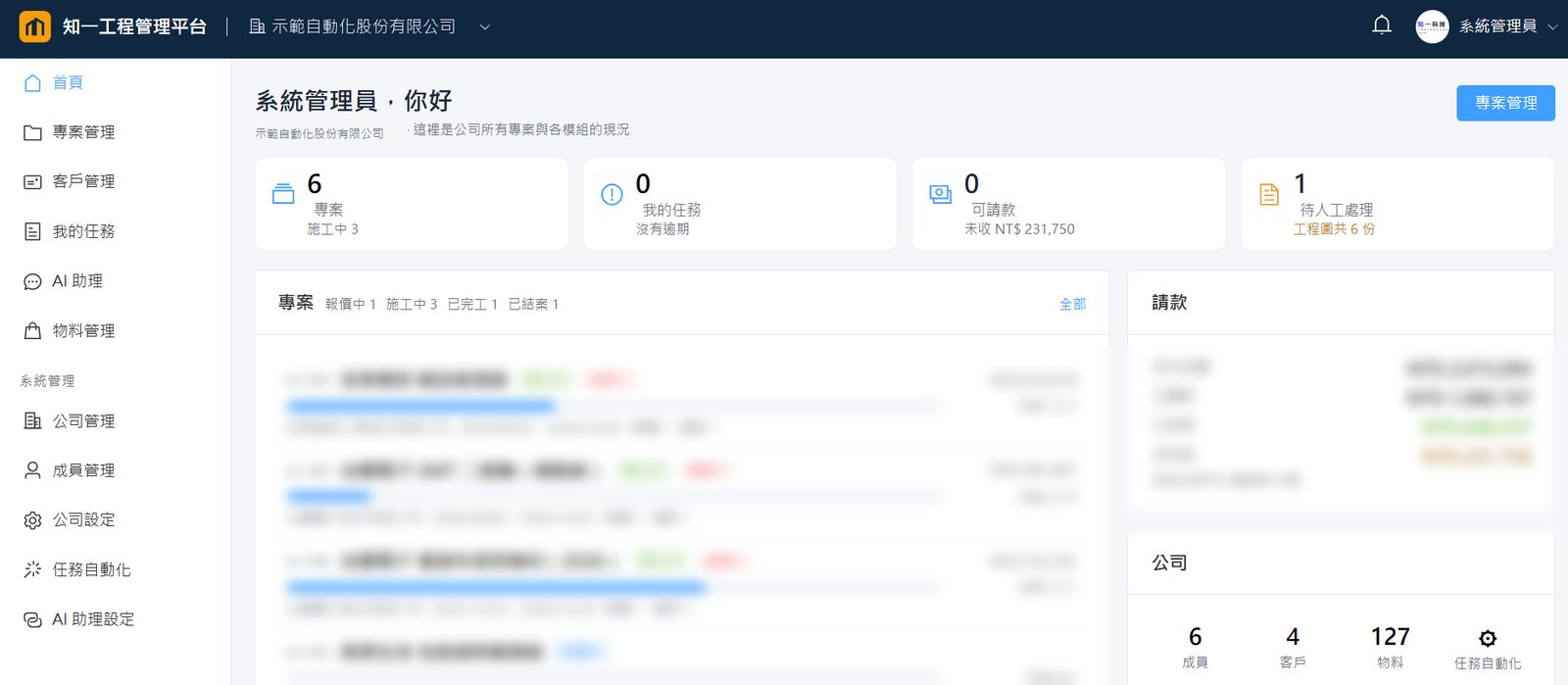
Automation equipment
Project & contract management
Quotations, site work, progress and billing in one system. The sidebar carries "AI assistant" and "AI assistant settings" as first-class features — the agent works inside the system, on the same permissions as the people.
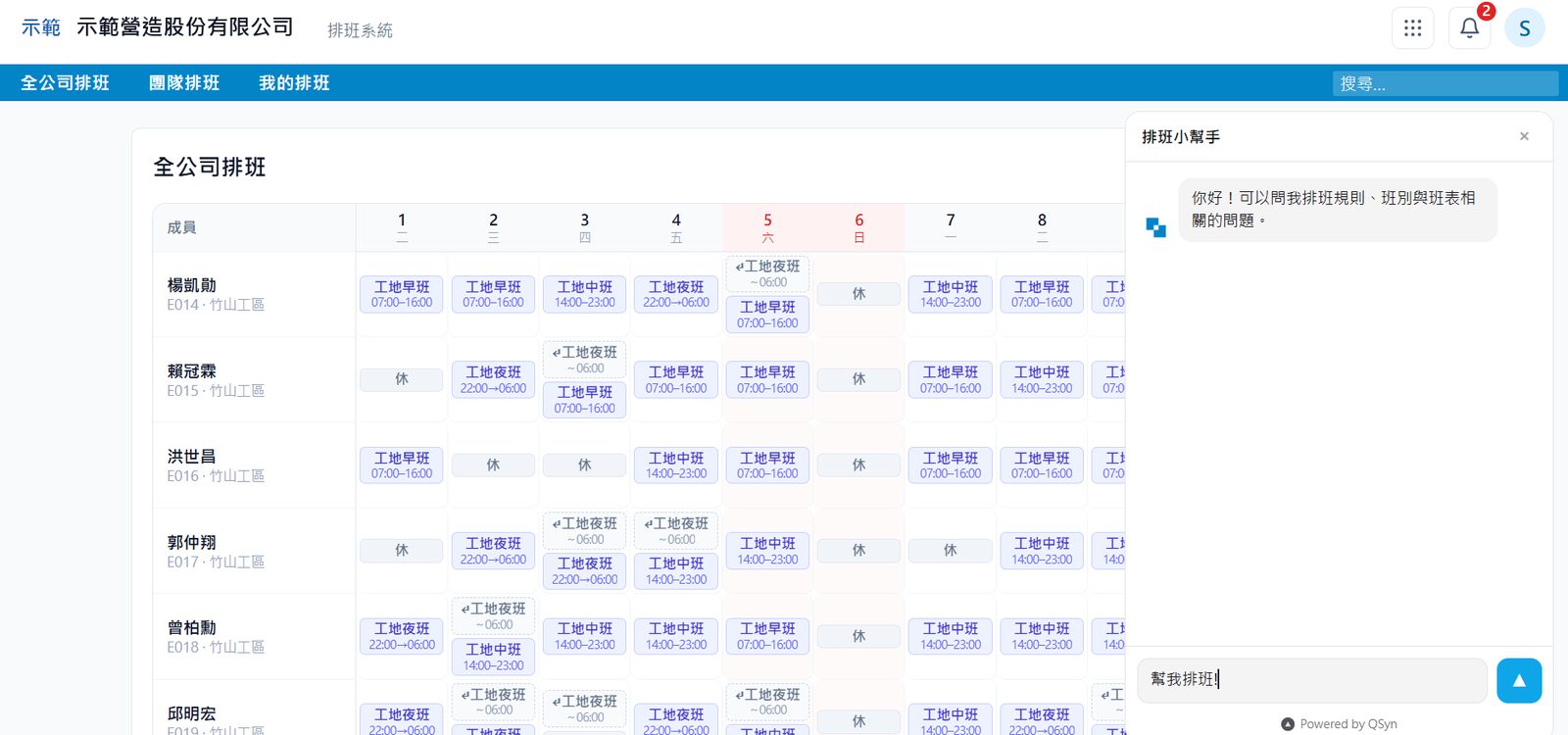
Construction
Internal company management
HR, leave, payroll, approvals, purchasing and materials. Staff ask about shifts and leave in plain language; the assistant can draft the roster itself.
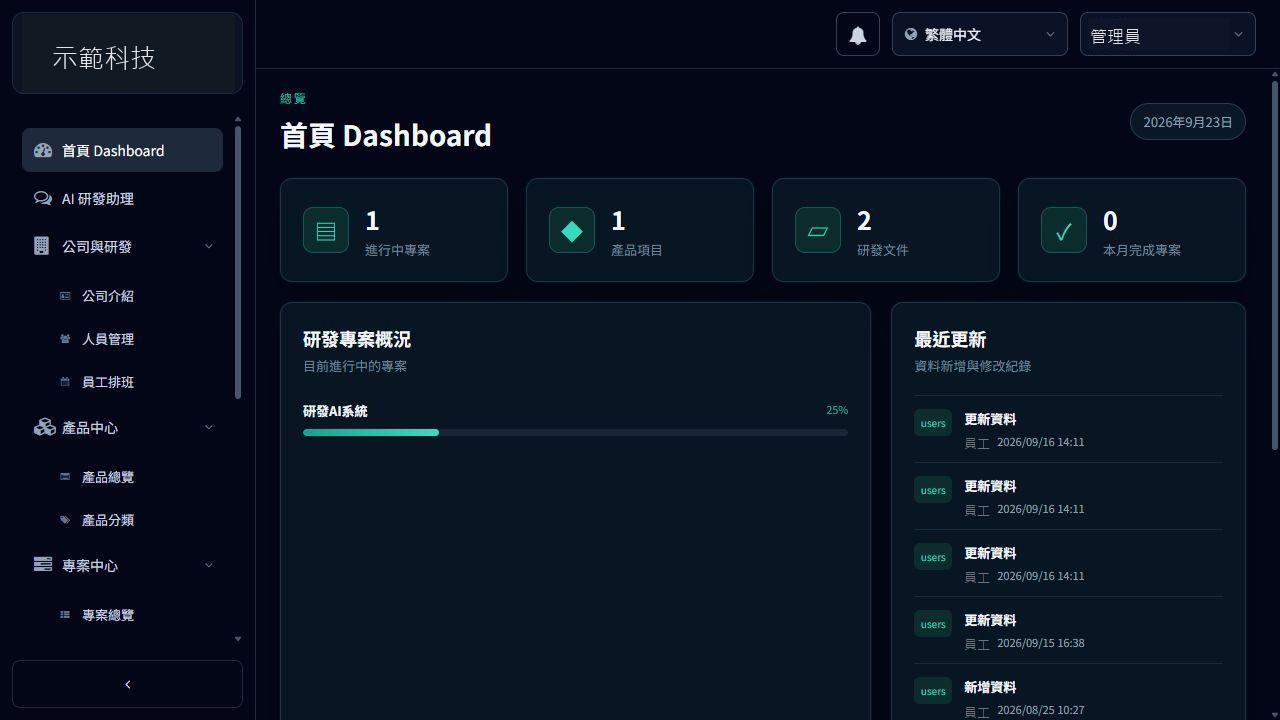
Manufacturing
R&D management
Products and projects, people and shifts, a document centre, with an R&D assistant built in. The data stays in the system, not on someone's laptop.
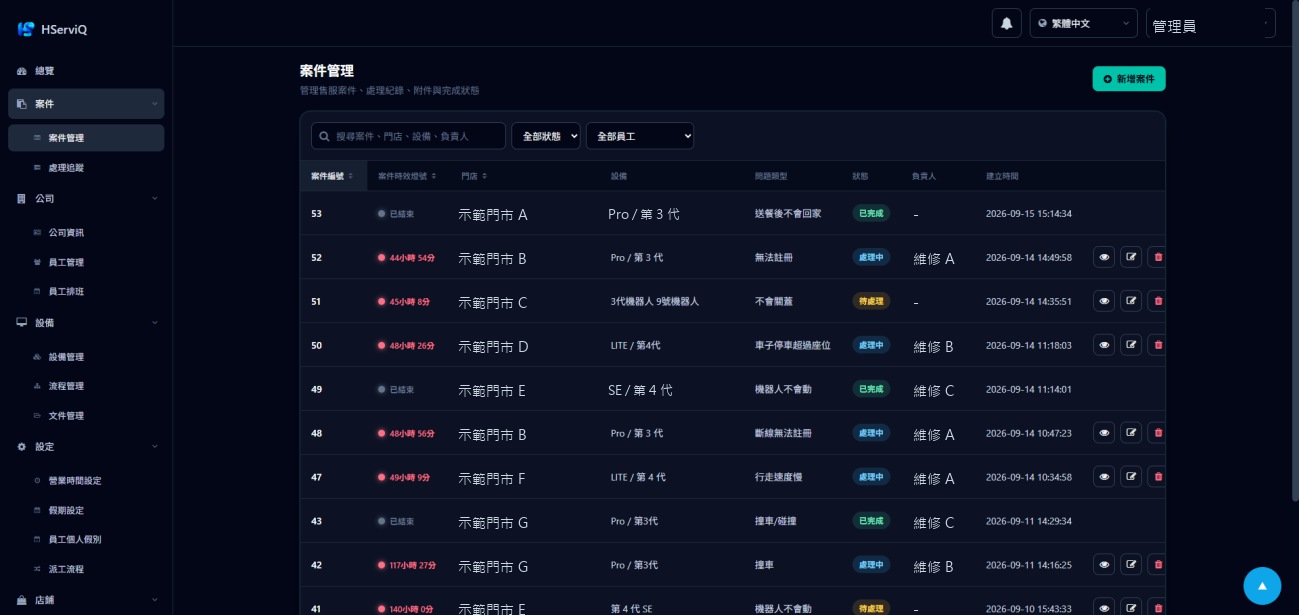
Equipment service
After-sales service
Complaints and repair cases from intake to close-out; support, managers and technicians each see the part that concerns them.
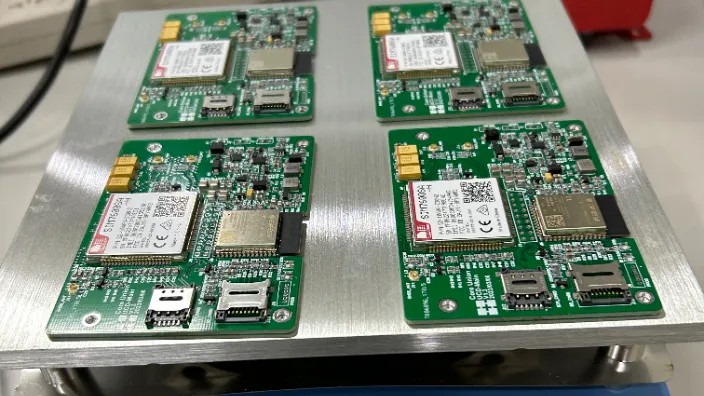
IoT · Hardware
Connected asset tracker
4G, GPS, Bluetooth and image capture integrated on a single control board, with a mobile app, backend services and geofence alerting. Developed end to end, from circuit design and embedded firmware through to the cloud service.

IoT · Hardware
Automated irrigation & monitoring
A master–slave control architecture combining environmental sensing with scheduled irrigation, plus iOS/Android apps and server-side management. Hardware, firmware, backend and applications all developed in house.
Phased rollout
Start with the one task that costs the most time; existing work carries on uninterrupted.
One team throughout
Custom systems, AI deployment consulting and training - and the maintenance afterwards.
In practice
What it looks like on an ordinary day
Staff use the messaging app they already have - nothing new to install, no commands to memorise. Illustrations below, using sample data.
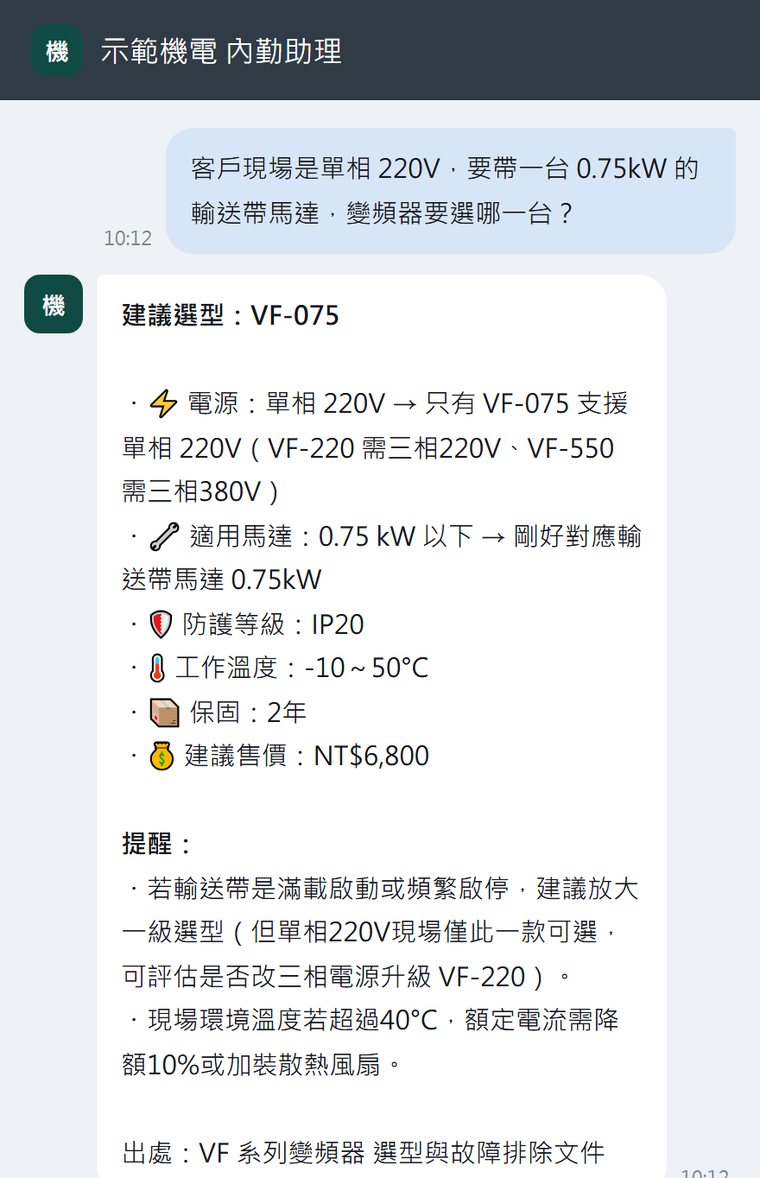
Asked for a spec, on the spot
It reads the company's own documents, explains why that model and not another, and names the document it used.
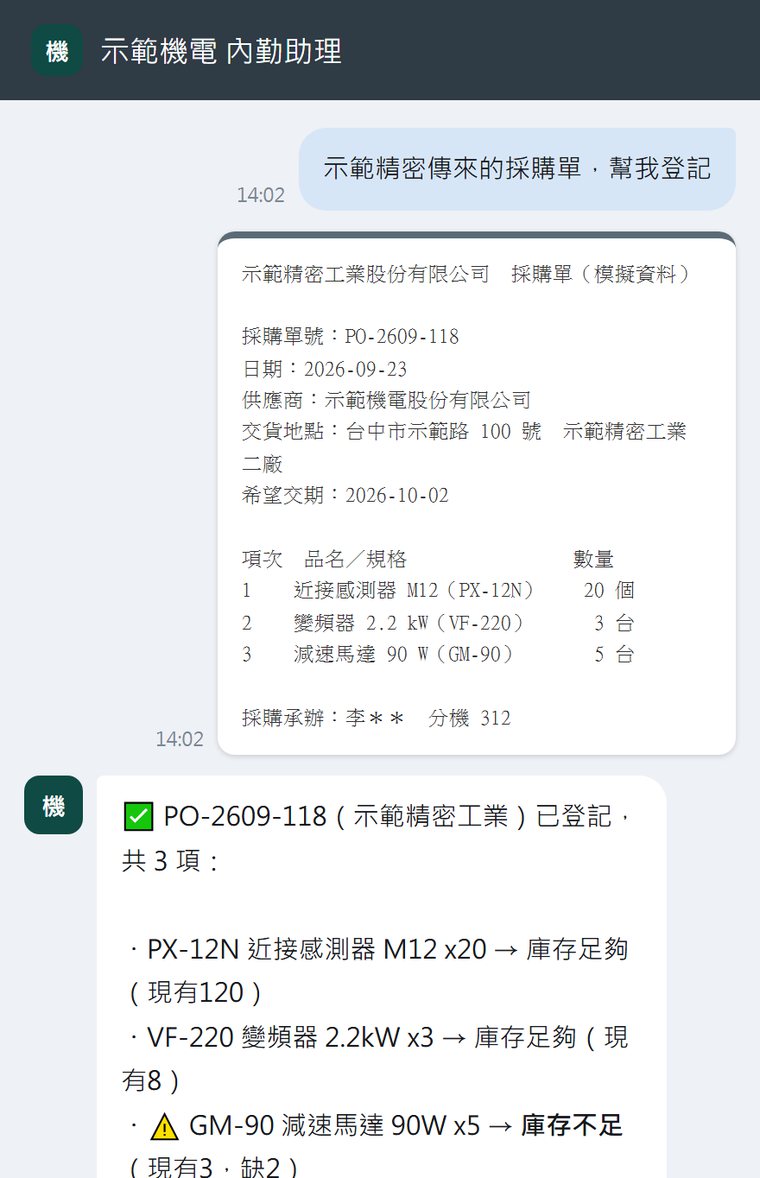
Photograph the document, it files itself
Items and quantities are read off the photo, checked against stock, and written into the system - shortfalls flagged for a person.

Nobody has to remember the deadline
Contracts, warranties and certificates are watched on a schedule; the owner is told before it matters, not after.
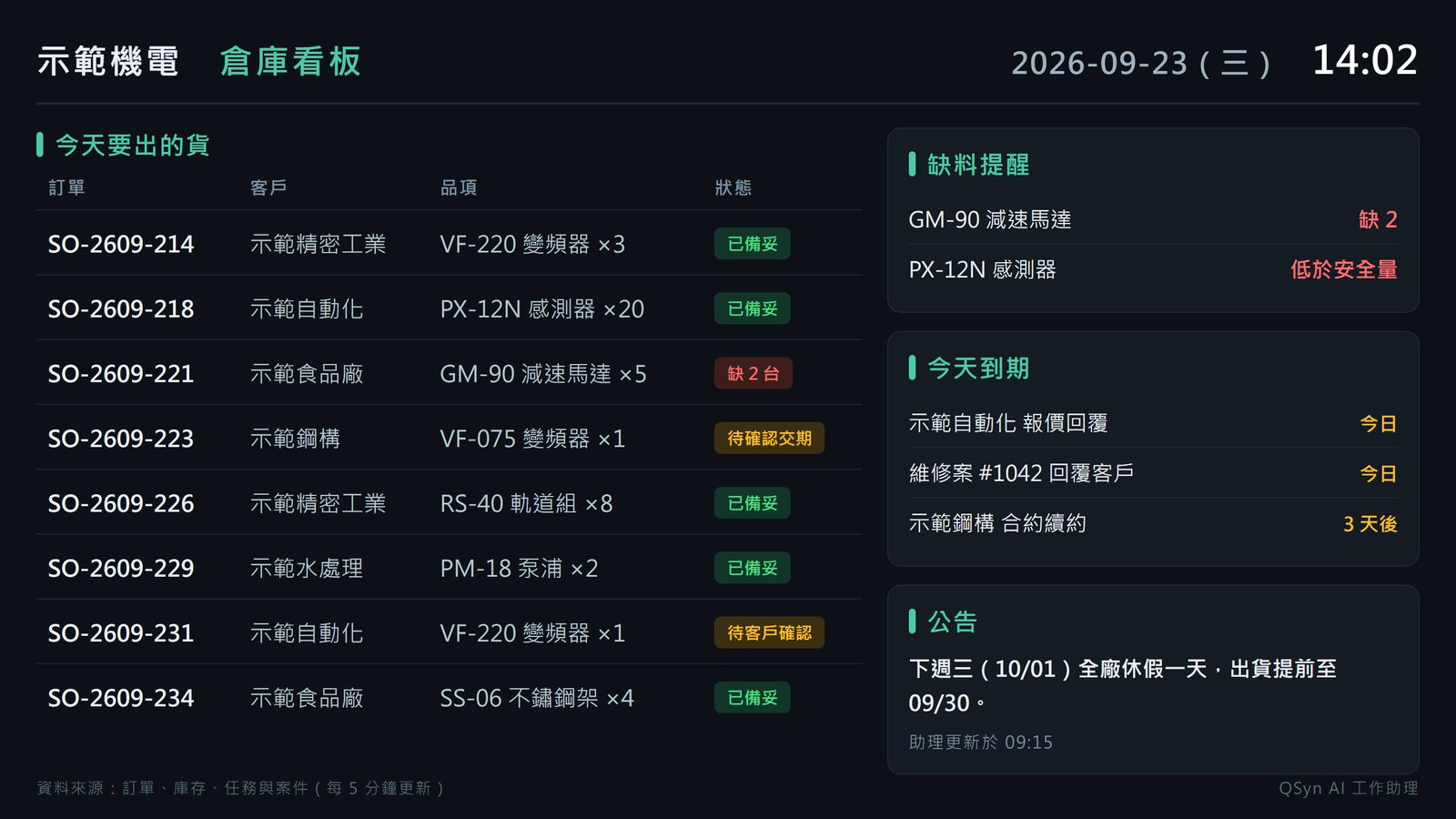
The screen on the office wall, too
What ships today, what is short, what falls due - on a screen everyone walks past. Unlike a normal digital sign, the assistant can reach everything on it and change it as the data changes. Any screen that opens a browser will do.
Illustration, using sample data.
Industry scenarios
Watch an AI employee take over a whole workflow
Four industries, four 30-second films. See the workflow, or book a 30-minute check-up.

Steel & metalwork contractors
Drawing in, quote out — instantly
Watch the film →
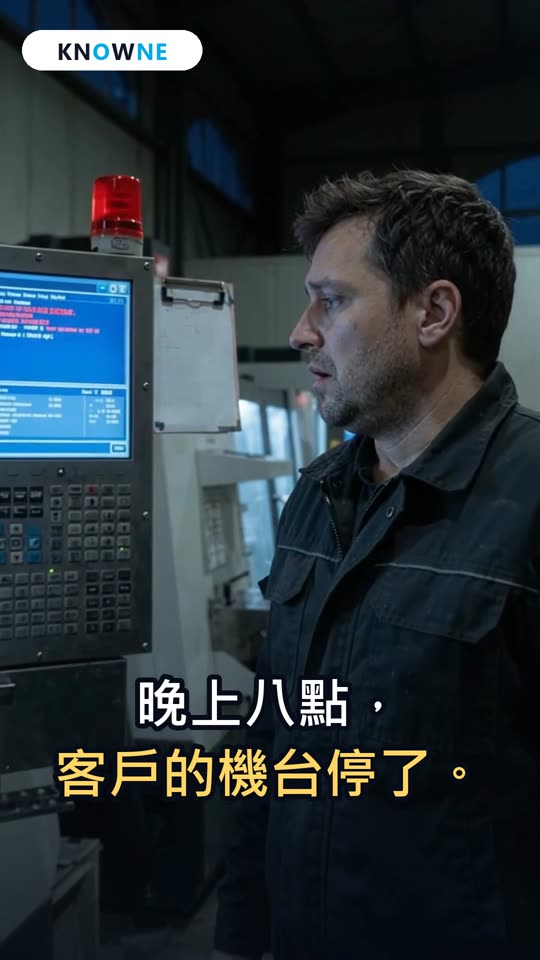
Automation equipment makers
After-sales that does not rely on one person's memory
Watch the film →

B2B distributors & traders
No customer gets forgotten
Watch the film →

Multi-channel e-commerce
You make the decisions; the AI does the rest
Watch the film →
But we don't just do consulting.
We build and run our own AI products.
Our Products
We don't just advise. We deliver systems that run.
Multiple systems running in production give us a deep technical base: knowledge graphs, permission-scoped access, scheduling and tool use, delivery across web and mobile — all proven under real load. But what makes a deployment hard is never the base. It is the integration: your data, your permissions, your ERP and CRM, the systems and habits your company already runs on. That is exactly what we are good at, and it is the work we do with you.
QSyn
Enterprise knowledge platform · Knowledge graph & RAG
Turns your documents, data and systems into a knowledge graph a question can actually search across — knowledge bases, wikis, data tables, pipelines and tool-using agents, all behind one API.
Enterprise value: The foundation we deploy on. Answers are grounded in your own knowledge and stay inside each employee's existing permissions.
Visit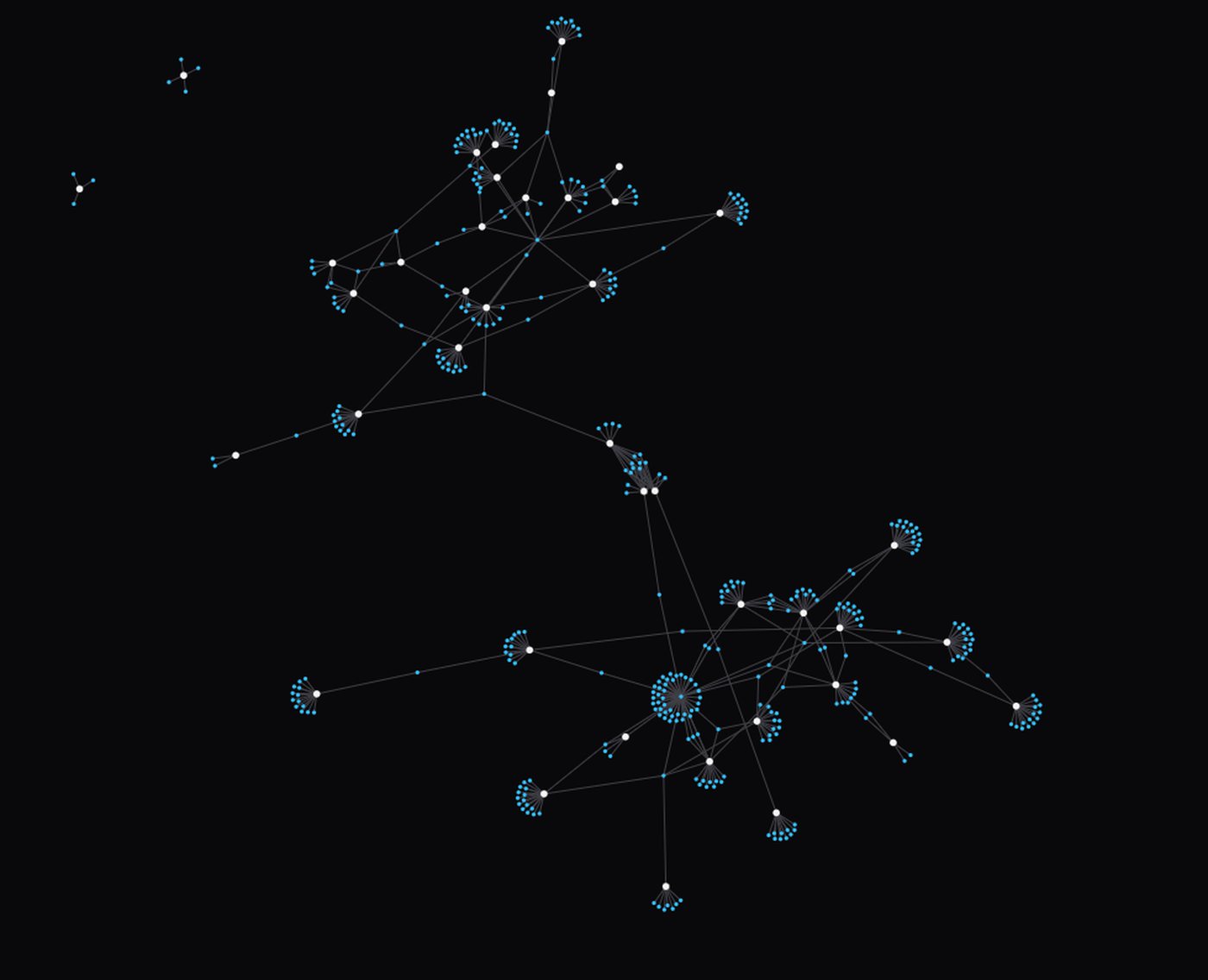
A knowledge graph, not a pile of documents
Documents go in as they are; what comes out is the people, parts, orders and cases inside them and how they connect. That is why "is this related to that?" is a question the system can answer at all.
DYNARA
AI employee platform · Roles, memory, schedules, tools
An AI employee that holds a role, remembers your company and your preferences, works to a schedule, and uses tools to get things done — a management console, a mobile app and an API around it.
Enterprise value: This is what "hiring" AI looks like in practice: a colleague with a job description, not a chat window someone has to remember to open.
Company Info System
HR & operations · AI assistant built in
Attendance, payroll, leave, overtime and an employee directory — with an AI assistant of our own that operates the whole system through natural language, strictly within each user's permissions.
Enterprise value: Deploy it as it is, or have us fit it to how your company actually runs. A working reference for what an AI-operated internal system looks like.
QInbox
Omnichannel support inbox · LINE, Telegram, web widget
One inbox for LINE, Telegram and the chat widget on your website. An AI agent picks up each conversation first and hands it to a person when it should.
Enterprise value: Customer questions stop being scattered across phones and apps. Routine ones are answered at once, and your team spends its time on the conversations that need a person.
Riddle
Multi-platform AI application · Web, iOS & Android
A drawing canvas you write or speak into, and the AI reads your ink, thinks, and answers. Notebooks, memory and metered usage are built in.
Enterprise value: Evidence we ship and operate real applications across web and mobile — including the unglamorous parts: accounts, billing, metering and support.
Consulting, our own platform, and custom development — delivered by one team.
Common question
Why not just use ChatGPT?
Three options side by side. The difference is not which one is smarter.
These are not mutually exclusive. Work with clear rules that repeats every day still belongs in a system — we build those too; and ChatGPT is genuinely useful for thinking. This table is about the other half: your own knowledge and processes, and who should hold them.
Not sure where to start?
Leave your contact details and a line about how things work today. We will come back with the three things worth doing first, and roughly how long each takes.
Coverage
From the equipment to the phone, one system
Where the data is produced, where the system runs, and who uses it on what device — three decisions, made separately.
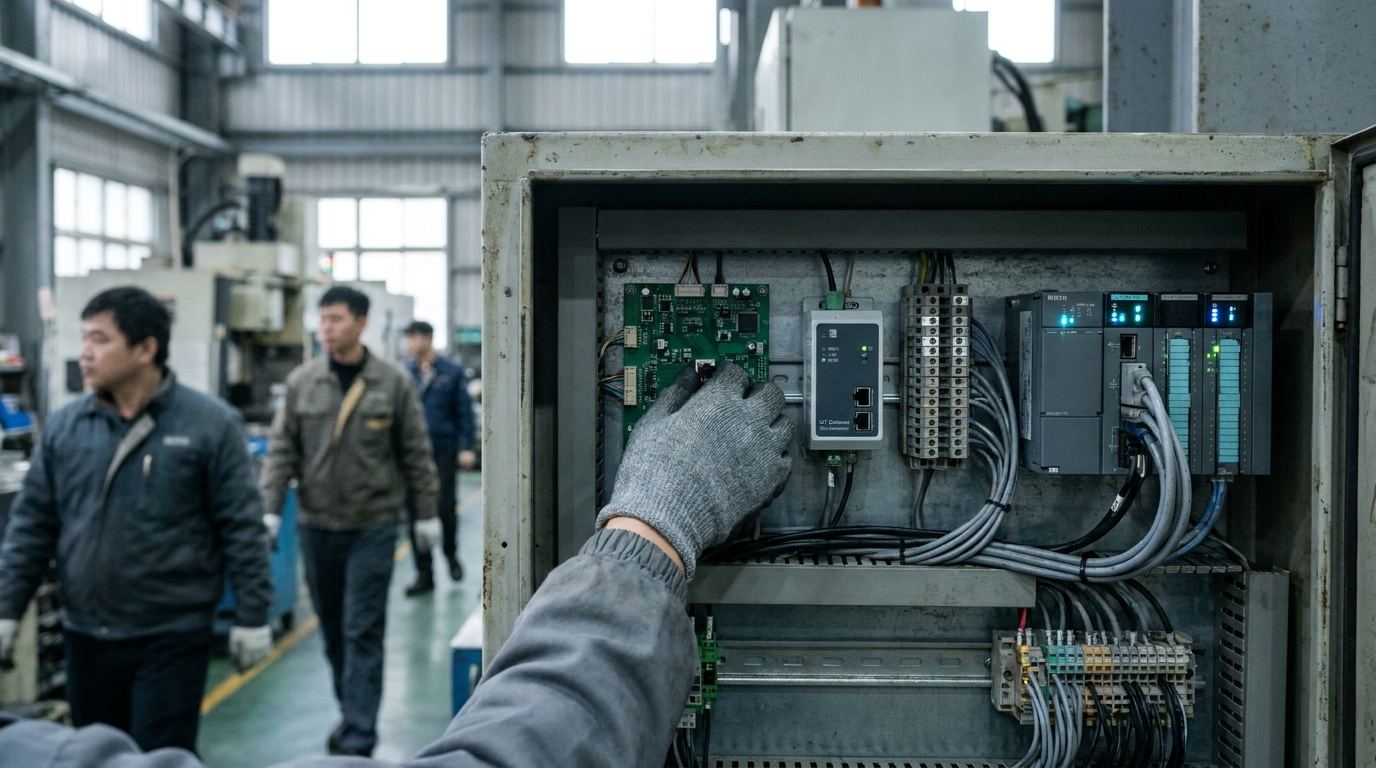
Equipment & floor
Sensors, controllers, PLCs, production equipment and floor displays.
Modbus · CAN · RS-485 · MQTT
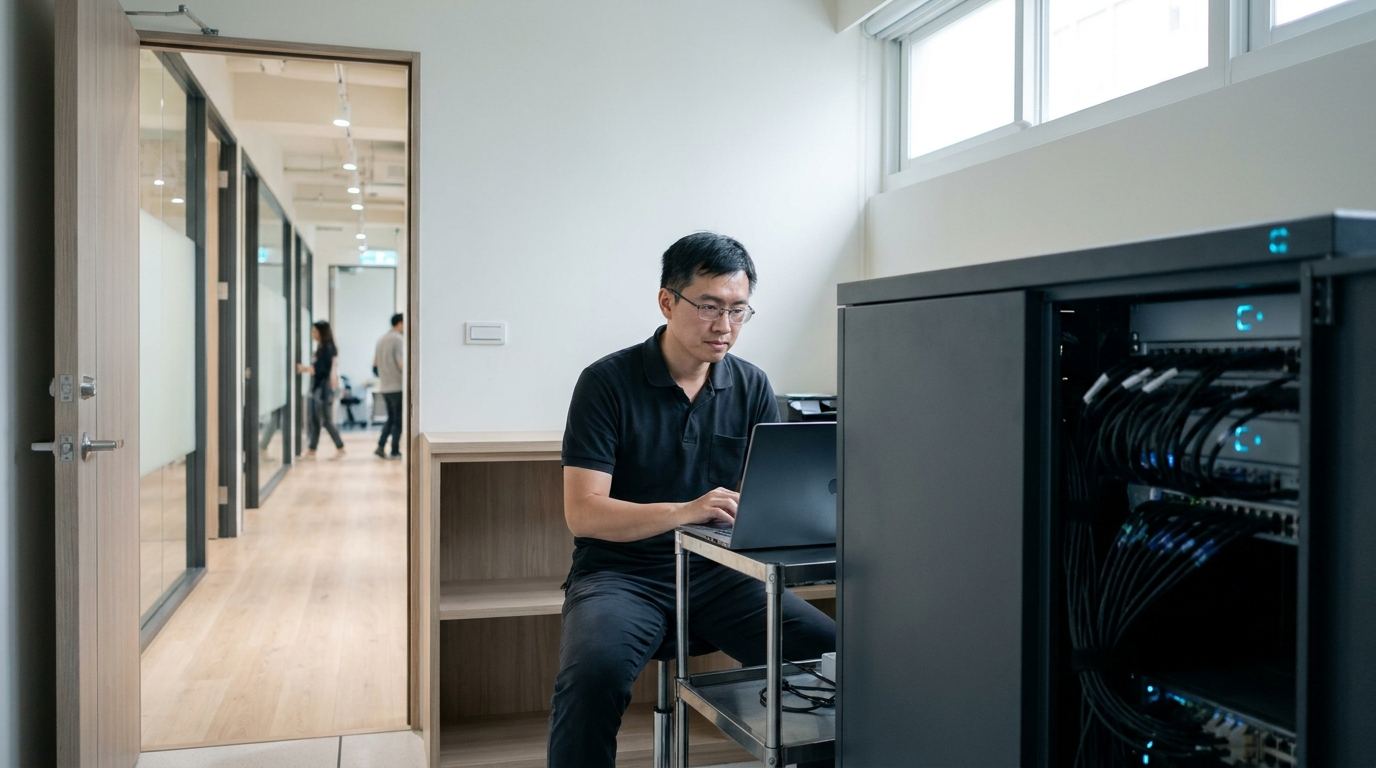
Where it runs
Installed entirely on your own servers, or deployed on AWS. The features are identical; what differs is where the data sits and who operates it.
On-premise · AWS
Where people use it
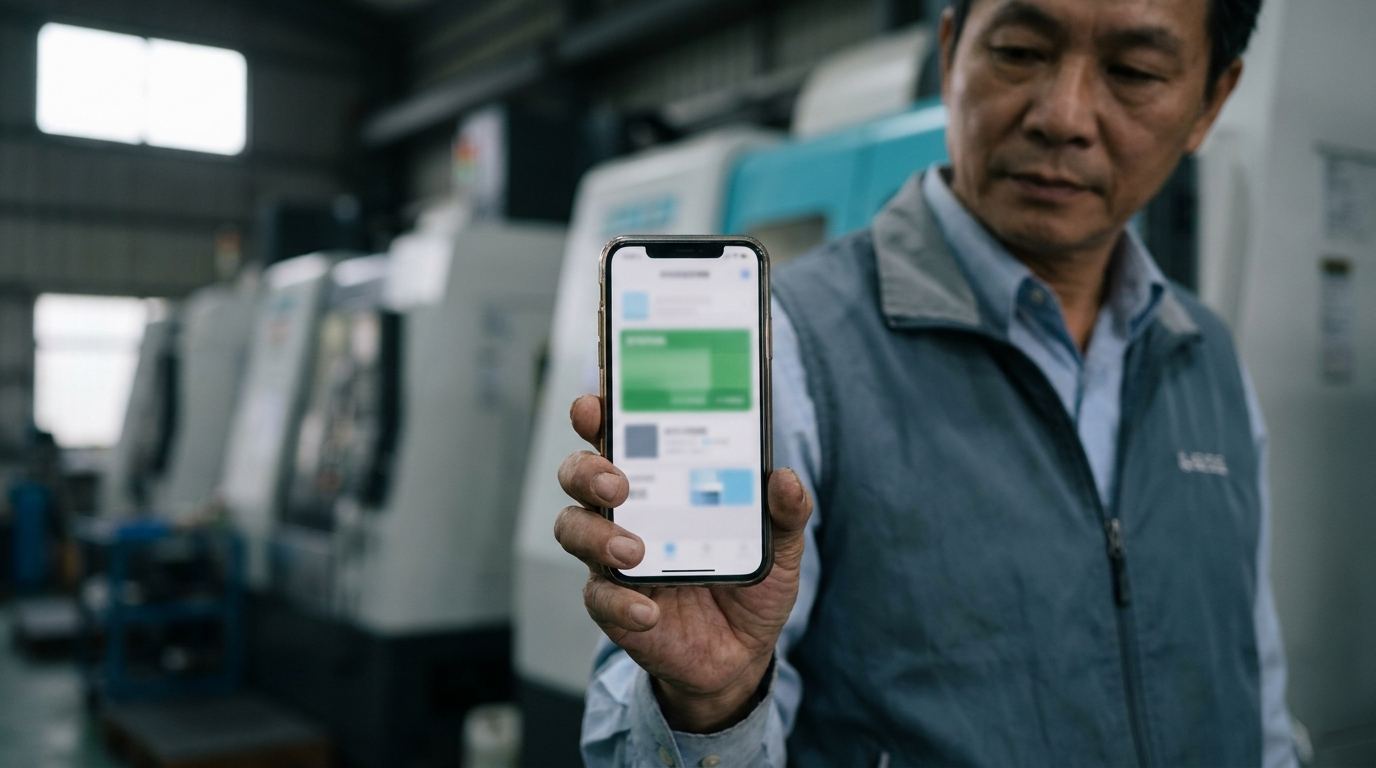
Browser, desktop app, mobile app — and the messaging app your staff already use.
Web · Windows / macOS / Linux · Android / iOS
AIoT integration
Sensor, controller and gateway data to the cloud, and control commands back down — the state on the floor and the data in the system are the same record.
Warehouse integration
Receiving, locations, stocktakes and picking, connected to your existing WMS or ERP. Shortfalls and expiries are reconciled by the system itself.
Robotics integration
Task dispatch, traffic management and status reporting for AGV/AMR fleets, arms and line equipment.
All three are carried by one team — you do not need an equipment vendor, a systems vendor and an app developer for a single system.

Data & permissions
Layered access, fully auditable
You decide what it can see and what it can act on; what it did is recorded entry by entry.
Layered by sensitivity
Public (catalogues, specifications, policies), internal (orders, stock, contracts) and confidential (cost, HR, payroll) are kept separate. A layer that is not included cannot be read, and never surfaces in an answer.
Per assistant, per person
Each assistant's knowledge bases and tables are configured separately, and scope can be narrowed by who is asking. Permissions follow staff changes immediately.
Read-only by default
A new table is query-only. Insert, update and delete are enabled one at a time; an operation that is not enabled is not even offered to the assistant.
Hard limits on what goes public
A publicly exposed assistant may only use classified tools; destructive and configuration tools can never be published. Settings are admin-only, and every change is stored with its before and after.
Entry-by-entry change history
Every insert, update and delete records who did it, when, and what the row said before — including changes made by agents and the API. Available directly at audit time.
Questions and sources are kept
Who asked what, which data the assistant consulted and which articles it cited are retained entry by entry, for internal audit and later review.
Deployable in the cloud, or installed entirely on your own servers.
Team
It gets built because these sit in one team
One project — from survey through build and go-live to the adjustments afterwards — carried by the same people.

Architecture & backend
Data models, APIs, permissions and deployment.
Embedded & floor integration
Equipment, sensors, production lines and existing systems.
Front end & interfaces
Consoles, mobile, and the screen on the wall.
AI & knowledge engineering
Knowledge bases, graphs, agents and tools.
Deployment consulting & training
Survey and data preparation; users and administrators trained separately.
Operations & support
Updates, backups, model upgrades and tuning against real usage.
In most projects these six sit with three or four different vendors. Keeping them in one team is not about the quote — it is that when something breaks, nobody has to establish whose fault it is first.
External partners
Some specialist work is carried by long-standing partners; for you there is still one point of contact.
Government programmes & academia
Experience writing and running SBIR, CITD and Ministry of Digital Affairs / Ministry of Economic Affairs R&D programmes (including as co-principal investigator), and collaborating with university research teams. Where a deployment is eligible for funding, we can handle that side too.
Deployment
Deployment does not end when the software is handed over
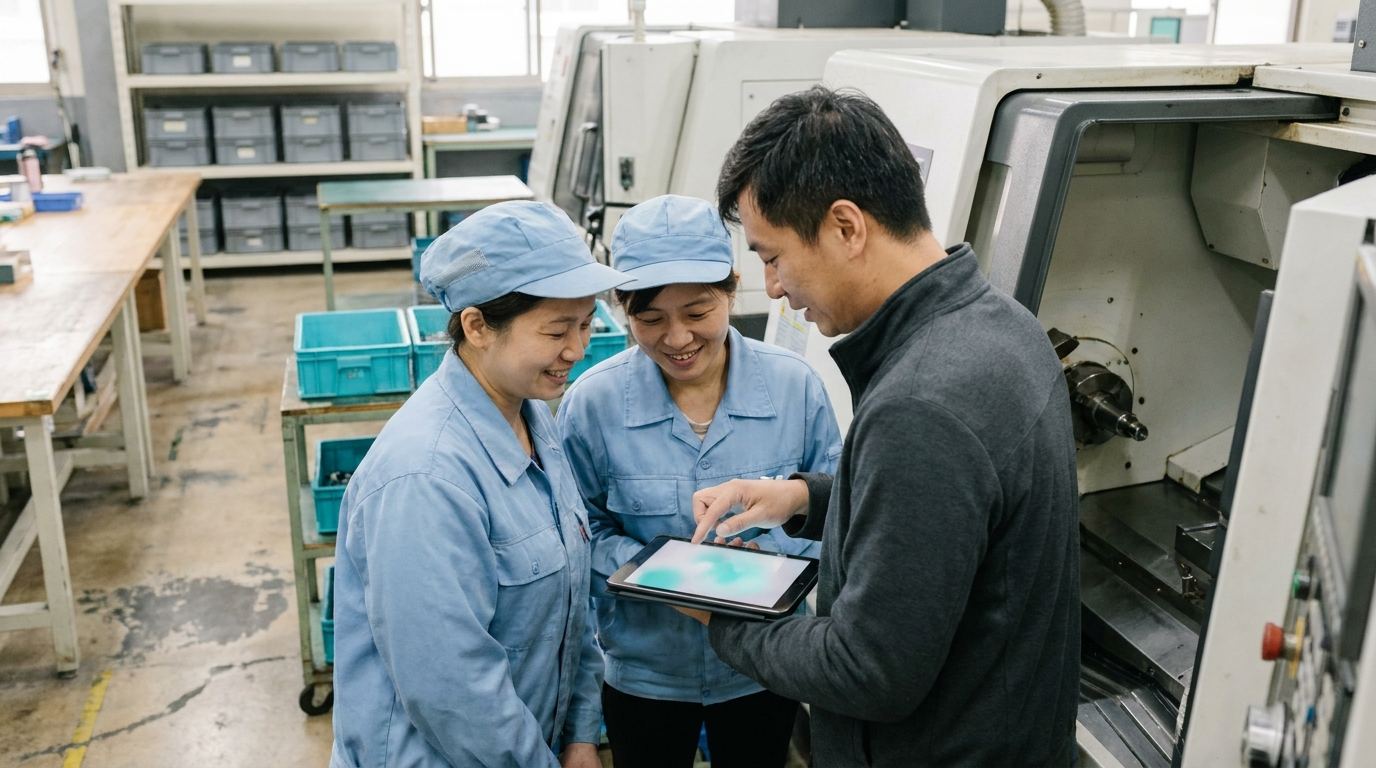
Survey, data preparation and training — carried by the same team.
01
Survey & consulting
Map the existing process and data, find what costs the most time and goes wrong most often, and agree what the first phase does — and what it deliberately does not.
02
Getting the data in
Catalogues, specifications, spreadsheets, scans, photographs of paperwork and existing system data all go in. No tidying up required first.
03
Training
Users and administrators trained separately, with a manual and recorded walkthroughs so new starters can pick it up themselves.
04
Phased expansion
Start with the one task that costs the most time; add the next scenario once it is stable. Existing work carries on throughout.
The build, the AI deployment and the training are handled by one team — no coordinating between vendors.
Deployment targets
40%+
Less time spent asking around
No forwarding the question, no waiting for a reply — the answer arrives with its source attached.
30%+
More work done in the same day
Paperwork, reports and repetitive tasks completed by the agent directly.
Halved
Time for a new starter to be useful
Veterans stop being interrupted, and staff turnover costs the business less.
Targets set together during the survey, not a guarantee; the actual figure depends on what the survey finds.

About
About KNOWNE
KNOWNE is a Taichung development team with four lines of business: product development, automation equipment, warehouse systems and AI adoption. This page covers AI adoption — making AI the "digital employee" that works on your own data and workflows.
We don't just develop AI technology — we build AI work systems that actually operate. From strategy to deployment, we help enterprises transition into AI-driven mode.
4+
Systems in production
Taiwan
Headquarters
End-to-end
Build, deploy, maintain
B2B
Market

What costs you the most time?
You do not have to decide what to build first. Tell us which part of the day takes the longest or goes wrong most often, and we will come back with what is worth doing first and roughly how long it takes.